On This Page
Configure the Unified Checkout Merchant Experience
Unified Checkout
Merchant ExperienceThe
Unified Checkout
merchant experience interface provides complete
control over your checkout experience by using dedicated configuration screens
accessible through the Smartpay Fuse Portal
:Figure:
Unified Checkout
Customer Experience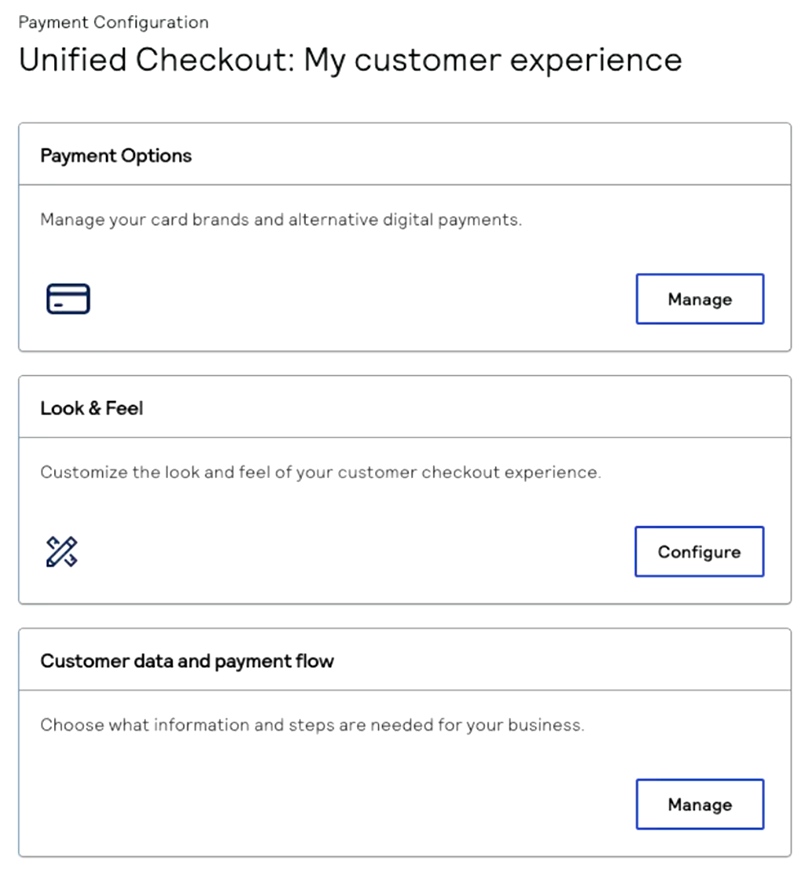
This option is low-code and provides a user-friendly approach to customization of your
Unified Checkout
UI. Configure each of these components of the checkout experience:
- Payment Options: Add, remove, and arrange payment methods. For information about configuring payment methods, see Configure Payment Options and Process Payments with Unified Checkout.
- Look & feel: Configure visual appearance and branding. For information about configuring the look and feel, see Customize the Unified Checkout Look and Feel.
- Customer information and payment flow: Control data collection and manage payment processing service. For information about configuring customer data, see Configure Customer Data and Payment Flow.
You can also manage permissions as a direct merchant or as a portfolio administrator. For
information about managing permissions, see Manage Permissions.