On This Page
Button Type
When
Unified Checkout
loads, the payment buttons displayed are based on
what you include in the allowedPaymentTypes
object in the capture
context. Unified Checkout
enables you to customize the text on the
payment buttons. You can do this by setting the buttonType
field
object in the capture context to one of these values:- ADD_CARD
- CARD_PAYMENT
- CHECKOUT_AND_CONTINUE
- DEBIT_CREDIT
- DONATE
- PAY
- PAY_WITH_CARD
- SUBSCRIBE_WITH_CARD
If you do not include the
buttonType
field in your request, the
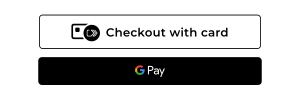
payment button text defaults to Checkout with card
. For example: